スカラーカラーマップの指定
scalar_funcフィールドが存在する場合は、カラーマップ(scalar_colormap)と範囲(scalar_range)を指定するフィールドがクエリテーブルに存在し、サーフェス、Rakeおよびアノテーションの作成コマンドの入力テーブルで使用可能です。カラーマップGUI上の“local”チェックボタンのサポートも提供されています。 これにより、サーフェスまたはRakeが作成(または変更)される際に、カラーマップを自動的にローカルレンジにスケールすることができます。
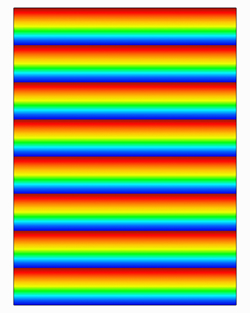
scalar_colormap = {
name = "spectrum" | "nasa-1" | "nasa-2" | "gray scale" |
"color striped" | "black & white" | "striped" | "zebra" |
"achromatic vision 1" | "achromatic vision 2" |
"banded blue to red dark" | "banded blue to red light" |
"banded grayscale" | "big difference" | "bio spectrum 1" |
"bio spectrum 2" | "bloodflow doppler" | "blue chrome" |
"camouflage" | "ccm blue red" | "ccm cool warm" |
"ccm high contrast" | "ccm spectrum" | "cd spectrum" |
"cd striped" | "chrome" | "cold" | "dark radiation" |
"dark spectrum" | "dark green gradient" |
"flame transition" | "gold" | "high contrast" | "hot" |
"hot to cold diff" | "indigo flame" | "leaf color" |
"radiation colors" | "red to blue diff" |
"red to purple diff" | "relief map" | "relief map land" |
"relief map ocean" | "simple flux" | "small difference" |
"spectrum diff gray" | "spectrum diff white" |
"steel blue" | "teal black gradient"
-- a string that is the filename (including path) of a
-- colormap file.
[default: "spectrum"],
invert = "on" | "off" [default: "off"],
filled_contour = "on" | "off" [default: "off"],
log_scale = "on" | "off" [default: "off"]
}
scalar_colormap.nameが定義済みのカラーマップ名と一致しない場合、FieldViewはその文字列がカラーマップファイルのファイル名(パスを含む)を表すものとみなします。
任意のサーフェスまたはRakeのscalar_rangeのフィールドには次のものが含まれます。
scalar_range = {
-- the global range for a given scalar function
abs_max = number,
abs_min = number,
-- the local range for a given scalar function
local_max = number,
local_min = number,
-- user specified range to control the colormap for a scalar
max = number,
min = number,
-- simple setting to toggle local scaling of the colormap
use_local = "on/off"
}
scalar_range入力テーブル内のminおよびmaxフィールドを設定することにより、カラーマップの範囲を直接指定することができます。use_localフィールドの設定は、カラーマップのスケーリングにも影響します。
・“use_local”が“on”に設定され、minおよび/またはmaxフィールドも指定されている場合、“use_local”設定は上書きされ、minおよびmaxフィールドが使用されます。
・“use_local”が“on”に設定され、minまたはmaxフィールドのどちらも指定されていない場合、カラーマップスケーリングはスカラー関数のローカルのmin/maxレンジに基づいて行われます。これは”local” ボタンをオンにすることと同じです。
・“use_local”が“off”に設定されている場合、または存在しない場合に、minおよび/またはmaxフィールドが指定されている場合、minおよびmaxフィールドによりカラーマップのレンジが設定されます。
・createコマンドまたはmodifyコマンドにおいて、 "use_local"がscalar_range入力テーブルに存在しない場合、"off"に設定されているとみなされます。
scalar_range入力テーブルのminおよびmax値は、“use_local”が“off”に設定されているか存在しないという条件下で、abs_minおよびabs_maxで定義された境界を超える値に設定できます。 さらに、scalar_range入力テーブルのminおよびmax値は、 “use_local”が“on”に設定されている場合、local_minおよびlocal_maxによって定義された境界を超える値に設定することも可能です。
例:θ座標面を作成し、温度のスカラーレンジを変更します。
my_coord = create_coord({
dataset = 1,
axis = "T",
scalar_func = "temperature",
scalar_range = { min = -72, max = 1500 },
display_type = "smooth_shading"
})
-- override previous specification for scalar range
modify(my_coord, { scalar_range = { use_local = "on" } })
例:一連のComputational Surfaceを作成し、ローカルのスカラーレンジでの表示をオンにします。
my_comps = {}
for i=1,8 do
my_comps[i] = create_comp({
grid = 1,
axis = "K",
K_axis = {
min = 1,
current = 1,
max = 2 },
J_axis = {
min = 1+(i-1)*8,
max = 1+i*8 },
scalar_func = "Y",
scalar_range =
{ use_local = "on"},
display_type = "constant_shading",
})
end
|